How to Larp as a Designer with Agents and Paper
7 min read
Have no design skills but want to larp as a designer? Sweet. Let me teach you.
All you need is an agent (I'm partial to Opus 5.5 right now) and Paper. Paper is a design canvas, and its MCP lets agents read and draw on it. Ask for three versions of a button, drag a few things around yourself, ask for another round. It's a lot of fun.
I get most annoyed by drift. Your agent draws something that looks kind of like your Button, you fix the padding by hand, and the next round redraws it from scratch and your fix is gone. A week later nobody knows which frame was the real one, or whether the code ever matched it.
So I wrote some skills for it. They make the agent read your actual tokens and component code before it draws anything, start from whatever you've selected, and save every version along with the code and tokens it came from. You still make the decisions (that's the designer part).
I'll walk through it with shadcn/ui and one Alert.
What you end up with
Here's the Alert with the same error message and Retry button in three different spots, light and dark:
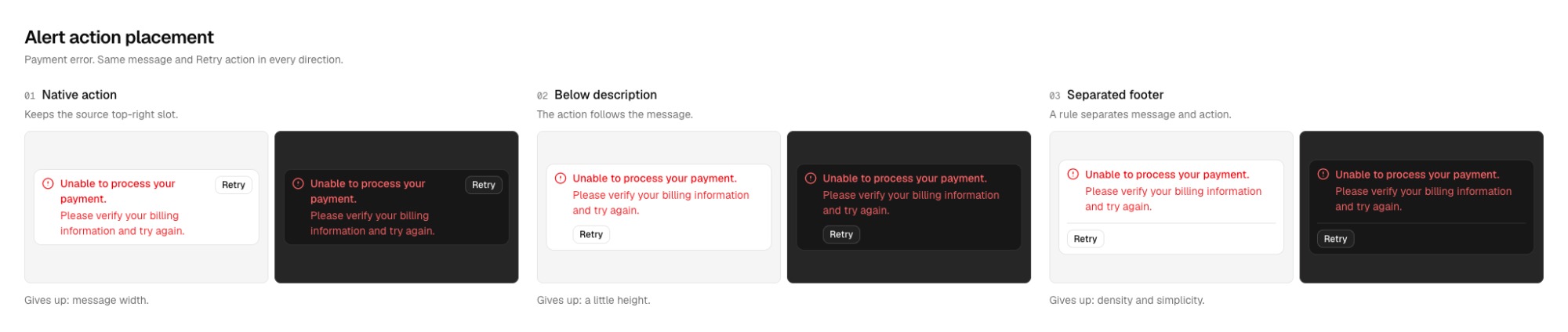
You can open the Paper file and poke around. It has 15 shadcn components plus the Alert pages. The official Alert in there is still r1, the version imported from code. Everything after it is a draft, and I'll get to why.
Install
Your agent needs to be connected to the Paper MCP, which is separate from the skills, and it needs access to your project's code and assets. A Figma MCP works too if your system lives in Figma, but I haven't tested that end to end yet. Mobbin is optional.
Then install the skills with the skills CLI:
npx skills add jal-co/jalco-paper-skills --skill '*'Grab the whole set, since they reference each other. Adding --list shows what it finds without installing anything.
There's no Paper CLI. You just talk to your agent and mention the skill by name. The quoted prompts in this post are examples you can copy and tweak.
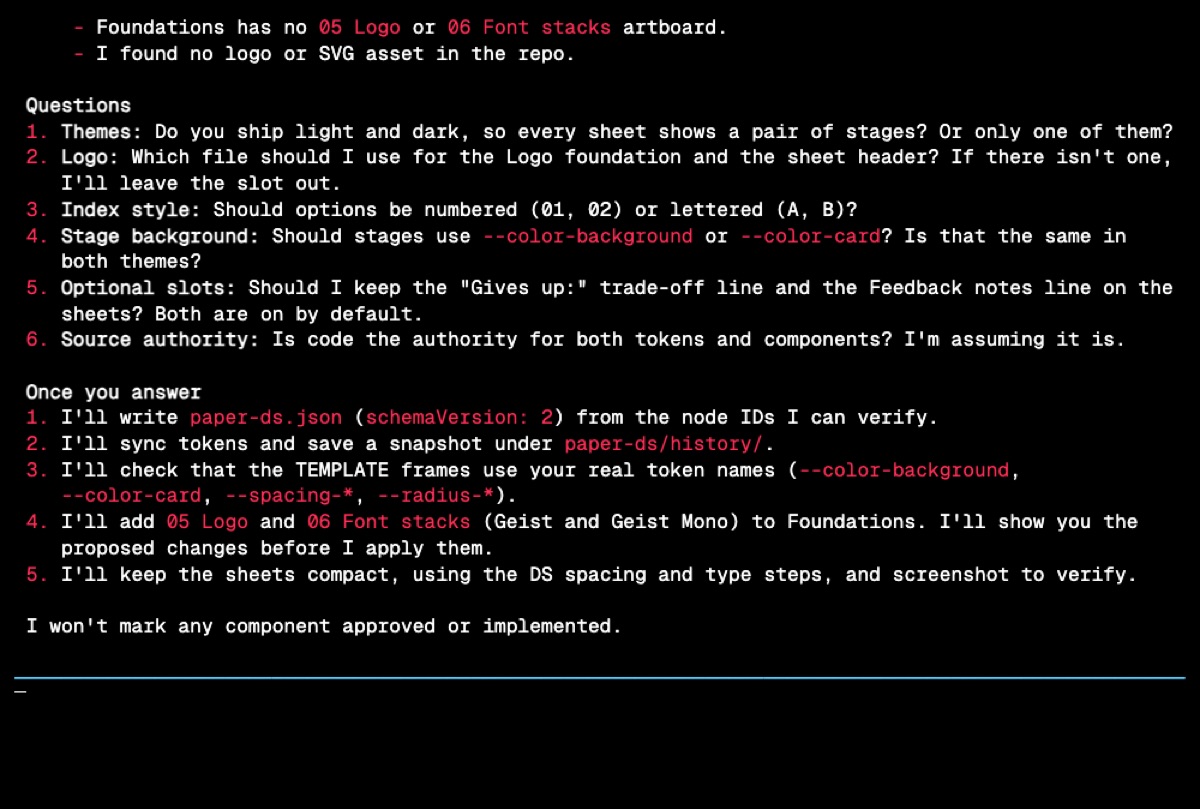
Connecting your system
paper-ds-setup only runs once. It hooks your code up to a Paper file and writes a paper-ds.json so later sessions don't start over.
First it digs through your token files, components, stories, and assets. Then it asks whatever it couldn't figure out in one batch: which themes you ship, which logo to use, numbers or letters for options, the stage background, and whether you want the trade-off and feedback lines. That's the part of the recording above where it stops and waits.
Use paper-ds-setup for this project and my Paper file. We ship dark mode only. Use our real tokens and logo, and keep the sheets compact.
If you don't have tokens yet, it should offer to make some and wait for you to say yes. It shouldn't quietly swap in a sample system.
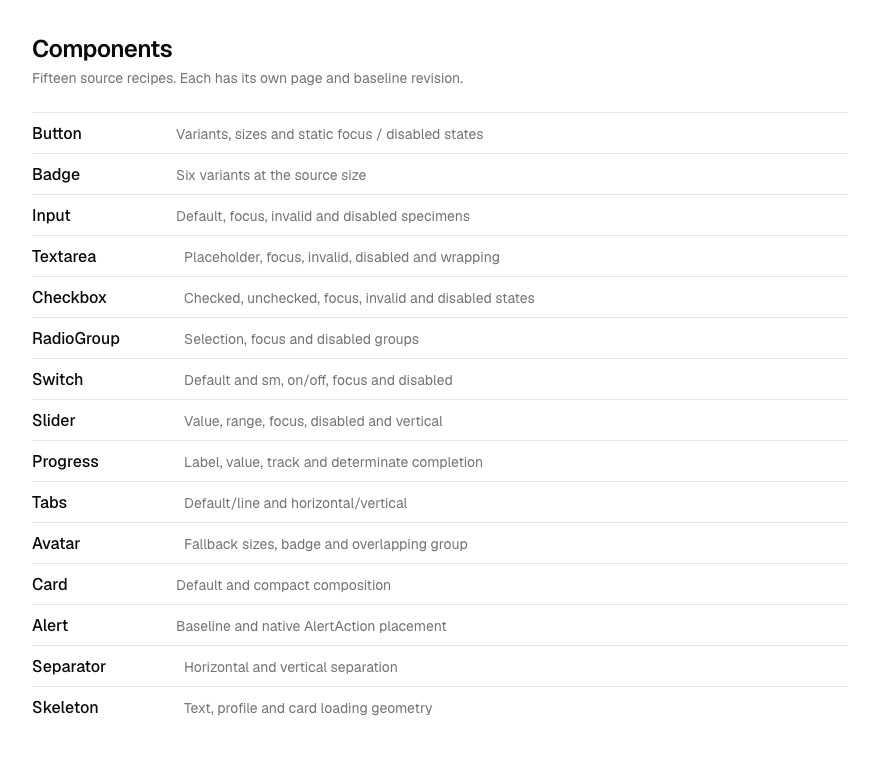
For this example I used shadcn/ui's default neutral theme and its base-nova component recipes, in light and dark. (Geist is just the sample app's font.) Each component gets its own page, and a Components page links to all 15.
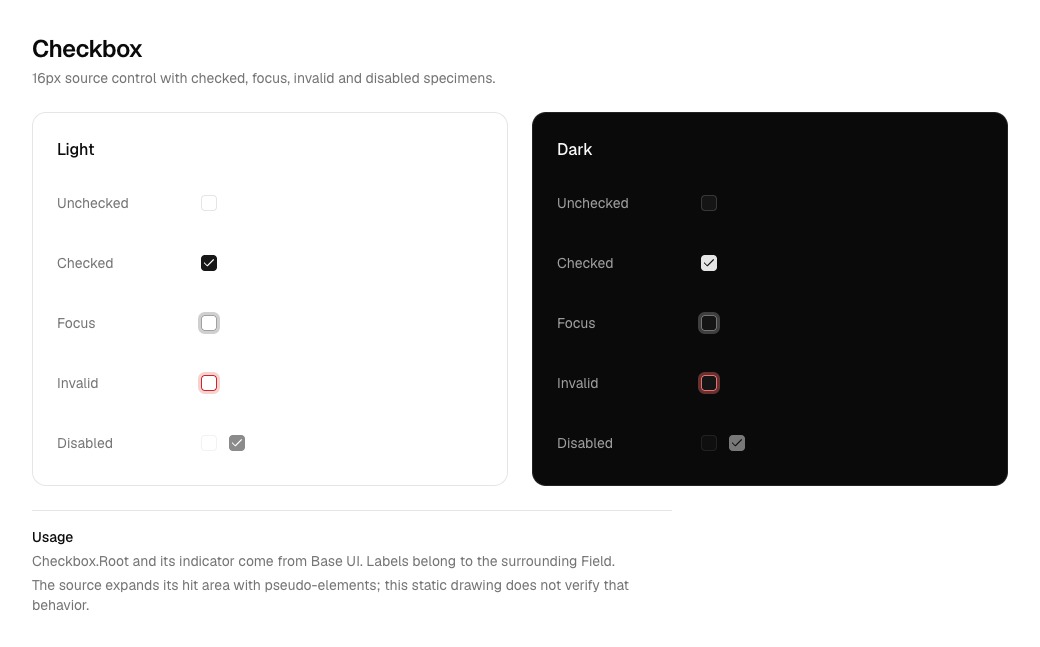
It only draws states the code actually has. Checkbox gets checked, unchecked, focus, invalid, and disabled because that's what the recipe defines.
Just ask
Once you're connected, start with paper-ds-manage. Tell it what you want and it picks the right skill, after looking at the code, the history, and whatever you've selected in Paper.
Use paper-ds-manage for our Alert component. Read the current implementation and my selected Paper nodes. Preserve my edits, compare only what needs a decision, and show the survivors in context.
If you already know what you want, you can call the other skills directly. It usually goes options, iterate, review, then land, but most tasks skip a couple.
Options
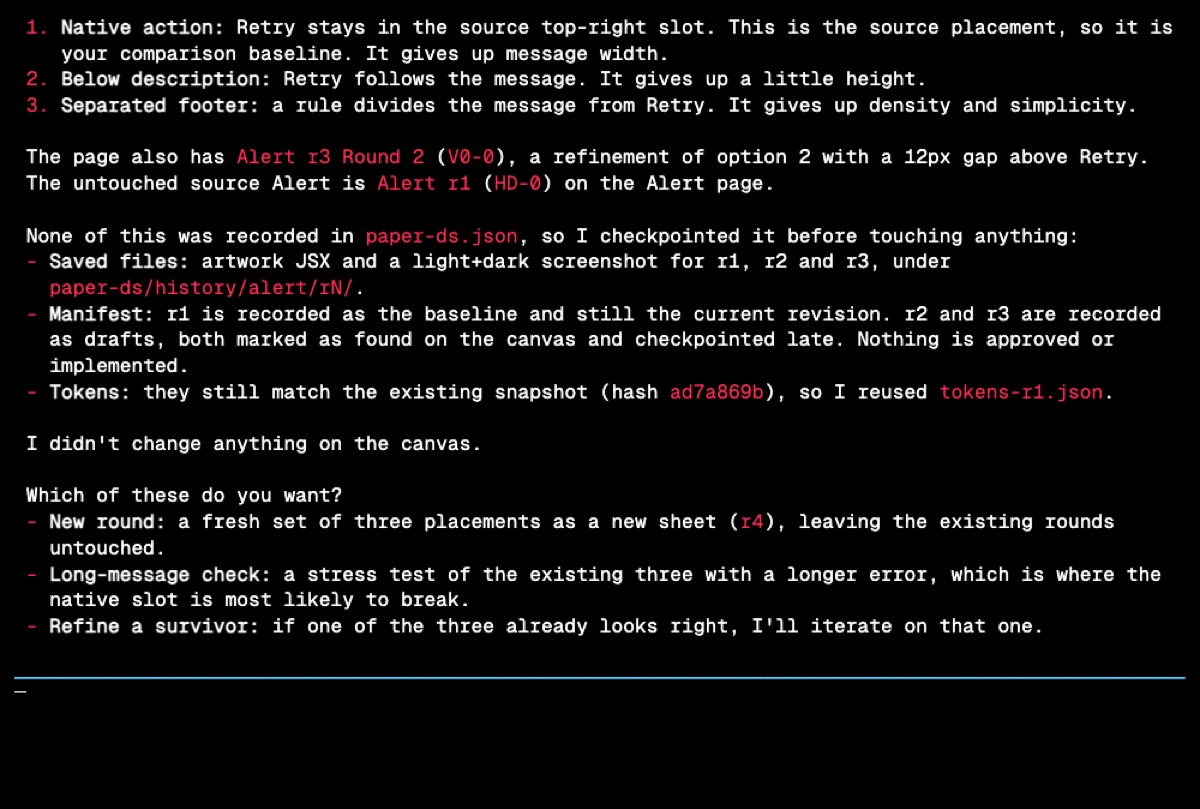
My Alert question was where the Retry button should go. shadcn puts it in the top-right corner, and that's r1. For r2 I asked for that plus two other spots: under the message, and in a separate footer.
Use paper-ds-options to explore three placements for the Alert action. Keep the same payment error and Retry label in every option, and keep the source version for comparison.
The message and button text stay the same in every option. Otherwise the one with shorter copy just looks better. It also doesn't always do three. A padding tweak gets a before and after, and a copy question gets short and long text.
Messing with it
This is the fun part. Go into Paper, select the ones you like, nudge stuff around, and tell your agent to keep going. paper-ds-iterate reads your selection and keeps your edits instead of snapping them back to the template.
Use paper-ds-iterate on these two nodes. Keep my spacing changes, replace the chip with our actual Badge, and test the long message in context.
For the Alert, r3 kept the button under the message and added a 12px gap above it.
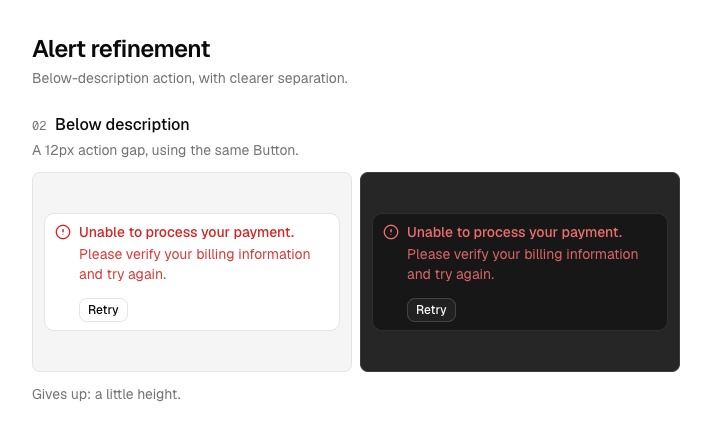
Selecting something doesn't approve it. "Keep these two" just means keep working on those two.
Checking it on a real screen
Something can look great on its own and fall apart on an actual page. paper-ds-review checks one design with different content, widths, both themes, and the stuff around it. For r3 that was a long card-declined message, a 240px container, and the Alert on a billing screen (a fixture built from the imported components, not a real product).
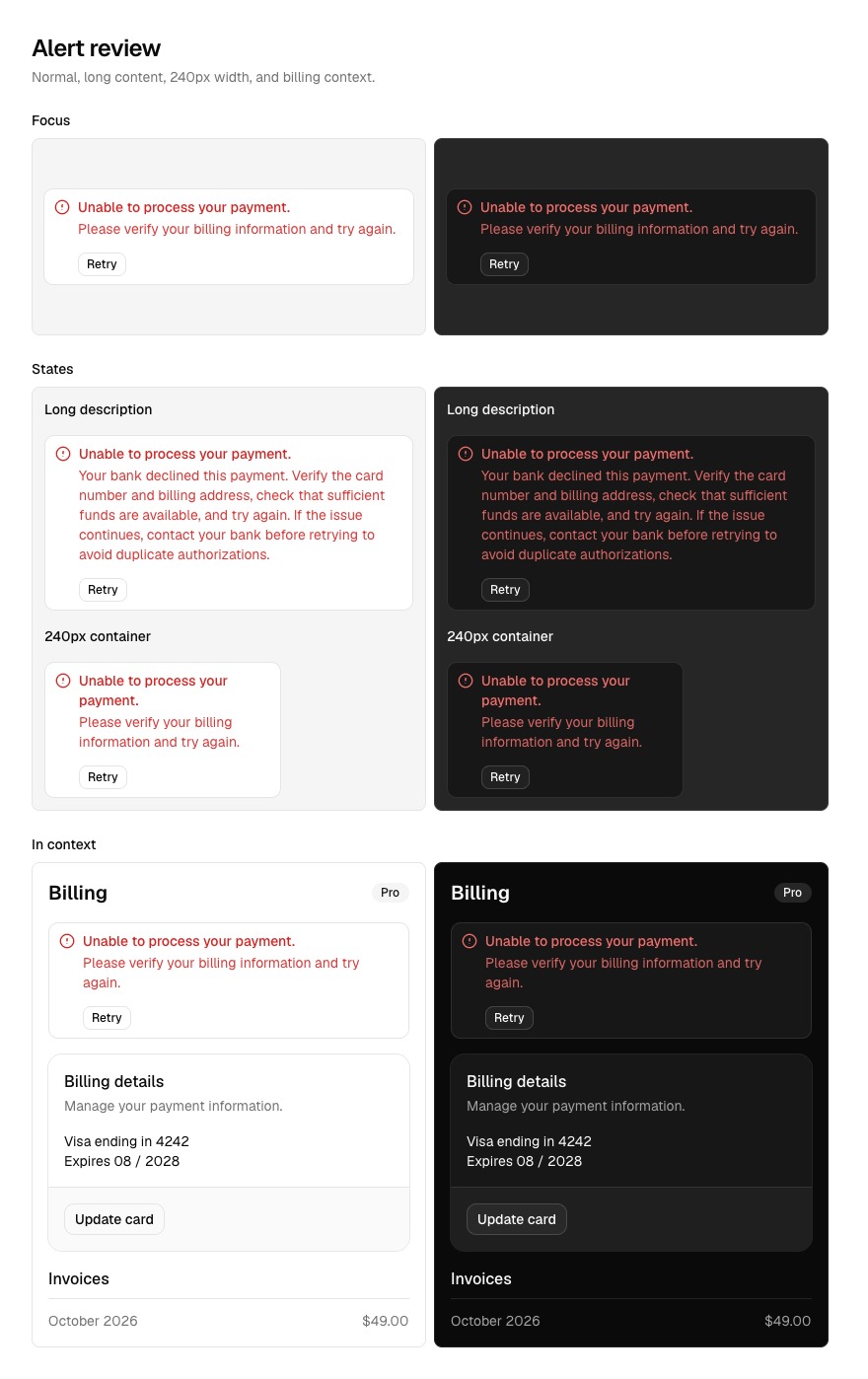
Feedback goes in chat, or in Paper comments if you let it. It doesn't draw notes on your canvas.
Screenshots can't tell you about keyboard behavior, loading, dragging, or touch targets, though. You still need a real browser for those.
Approving it
My demo stops here, on purpose.
paper-ds-land is next. You approve a specific version and your agent makes it the official one in Paper. It only touches your code if you ask. Design only:
Adopt Alert r3 in Paper only. Leave the implementation unchanged and record the remaining drift.
Or with code:
Adopt Alert r3 with paper-ds-land and implement it in the existing component. Verify its real states and dark theme. Do not push or publish anything.
When it does write code, it pulls the values from Paper, applies them to your existing components, runs your checks, and compares screenshots against the approved version. If a check fails, the version stays approved but isn't marked as built. Commits, pushes, and deploys always need a separate go-ahead.
None of that happened in my run. Nobody approved r3, so the official Alert is still r1 and nothing is built.
History
Every version saves the code it came from, the Paper artwork, a token snapshot, and screenshots. It also remembers what it was based on, so r3 knows it came from r2.
Heads up that old Paper frames still use the live tokens. Change a shared color and old frames change too, so the snapshots and screenshots are the real record of how something looked.
Restoring an old version makes a new draft from it. The numbers never go backwards, and you have to approve the restored one again. The skills have their own version (v0.2.0), and none of these r numbers have anything to do with shadcn's.
What I haven't tested
The shadcn run covered pulling components from the registry, drawing their states, saving versions, and reviewing layouts. All 146 tokens matched the saved snapshot, except that Paper rounds OKLCH hues to one decimal, so the exact values live in the local snapshot.
I haven't tested Figma import, syncing changes back to code, single-theme setups, restoring old versions, approving, or the full Paper to code loop yet. Skeleton's pulse is a still frame, and the Avatar group's blending is faked with a border.
These are just instructions for your agent, not a plugin, so nothing is enforced. Check what it did.
Try it
The repo is jal-co/jalco-paper-skills (MIT), and the illustrated guide goes into each skill.
If you try it on your own system, I'd love to hear how it goes :)